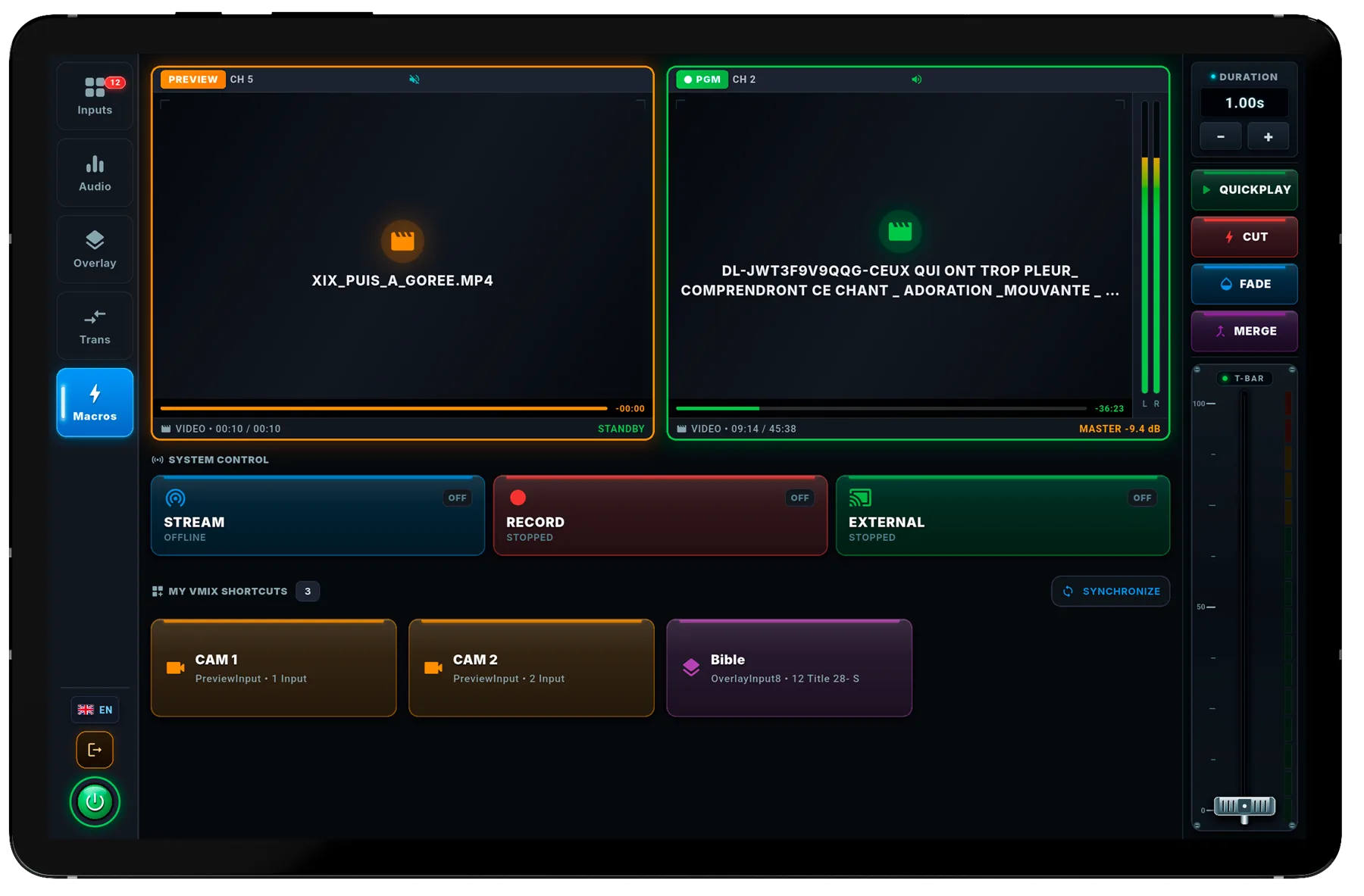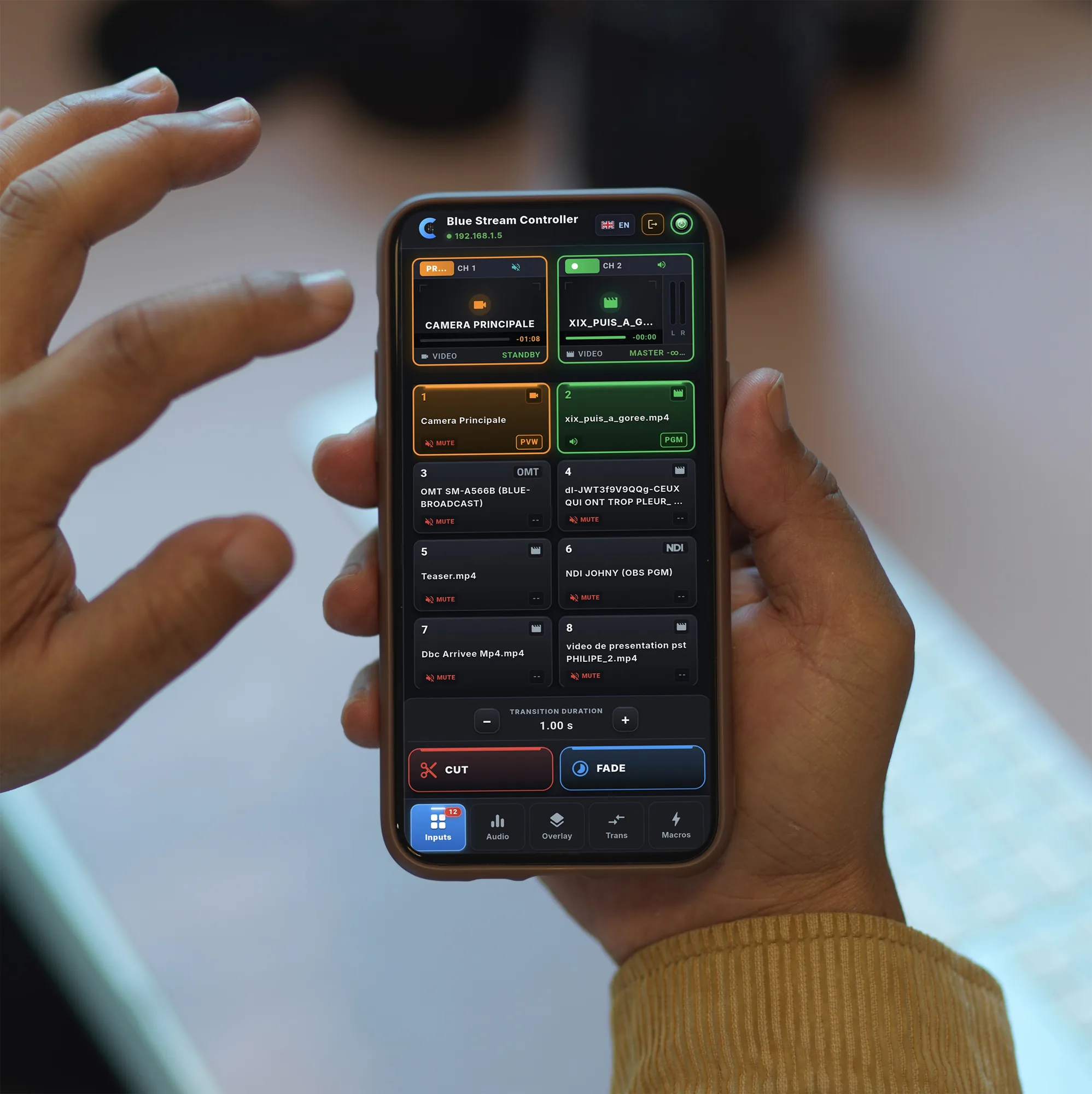
See what's on air, pick what's next.
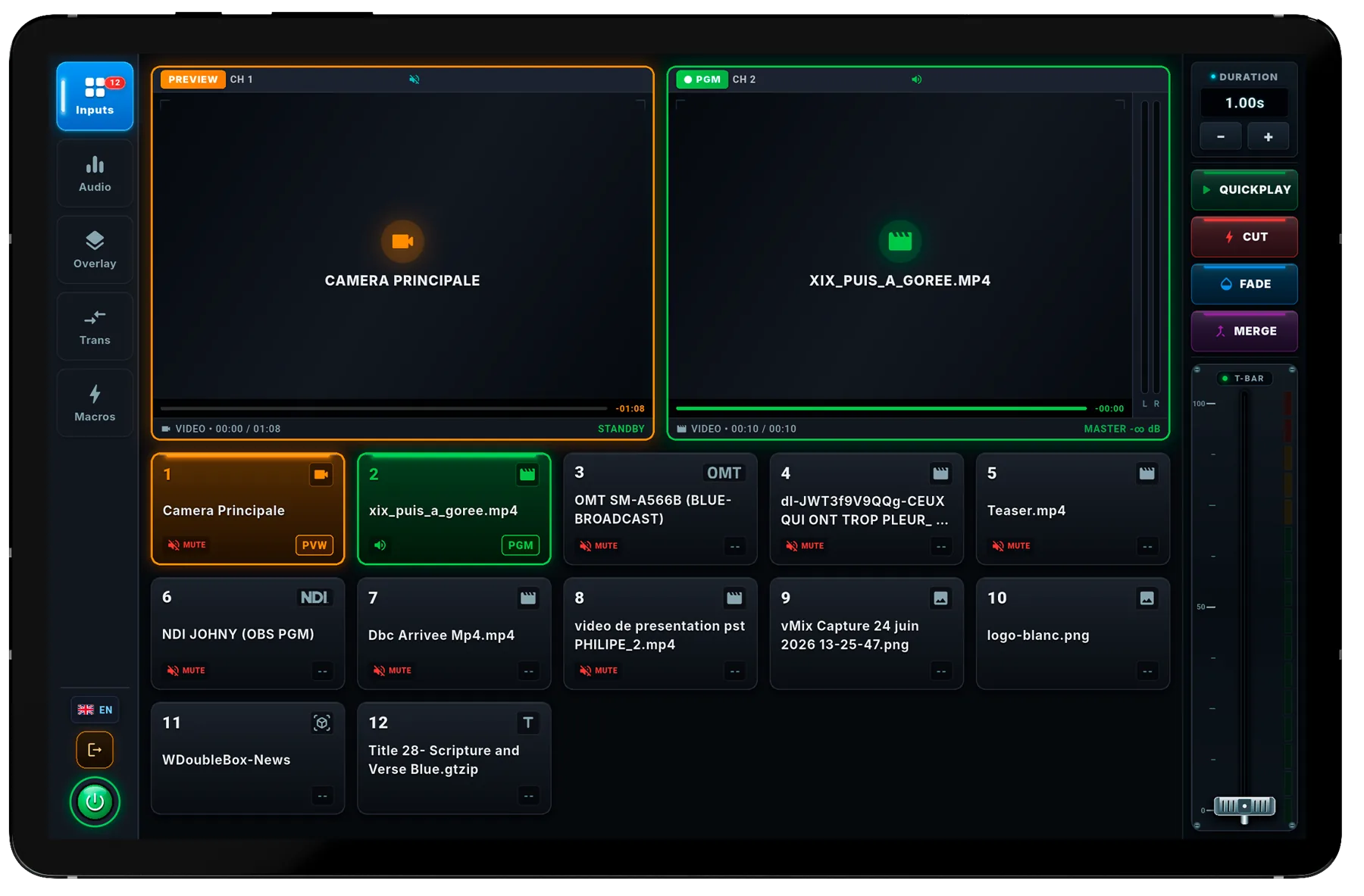
Preview in orange, Program in green: the same cues as in vMix. Move to the next input in one tap.
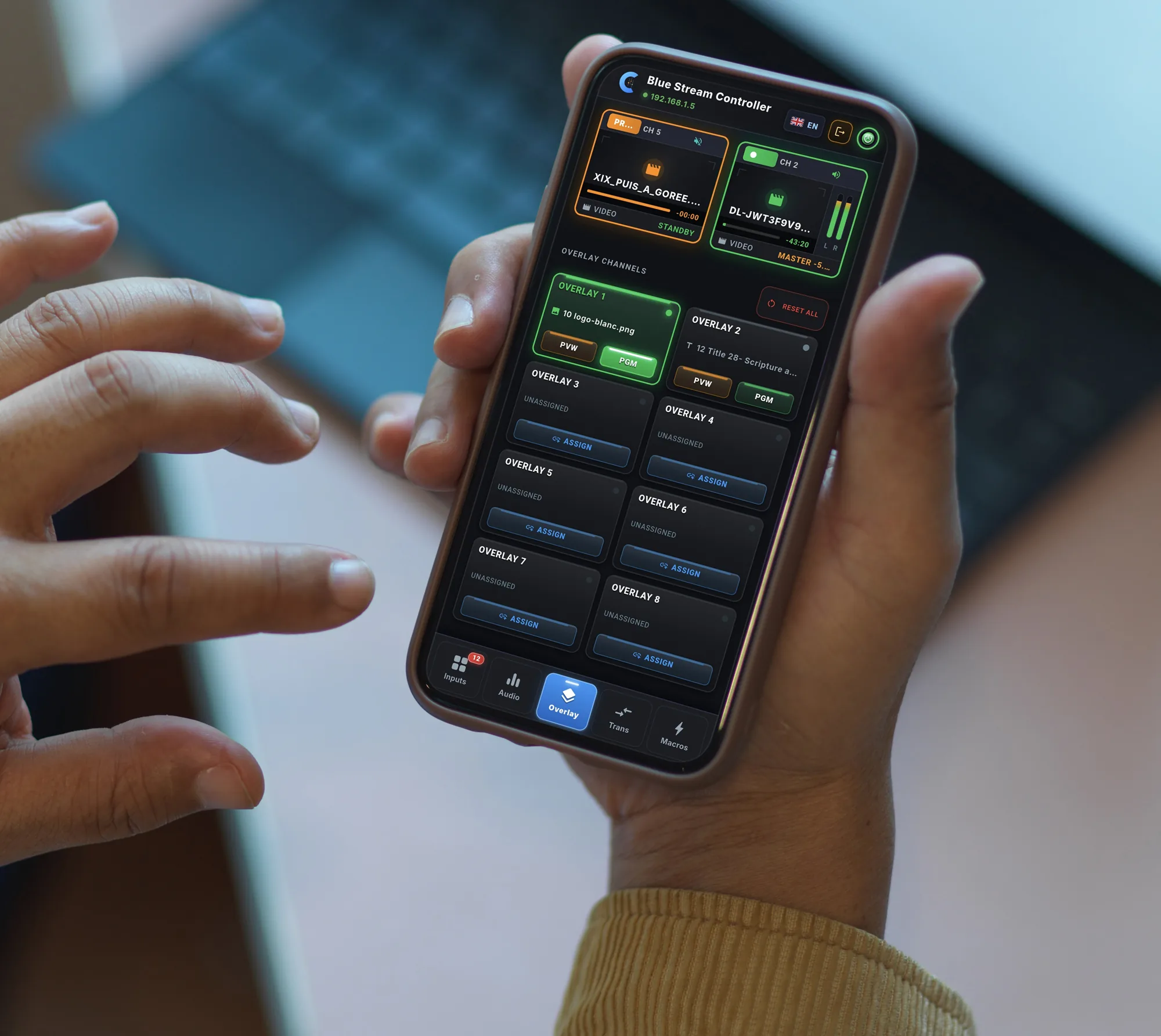
Switch cameras, adjust the sound, launch a title or go live from your phone or tablet, while moving freely around the room.
Works with your setup
Every control mirrors what you already do in vMix, laid out for your finger instead of a mouse.
Preview in orange, Program in green: the same cues as in vMix. Move to the next input in one tap.
Send each channel to Preview to check it, or straight to Program.
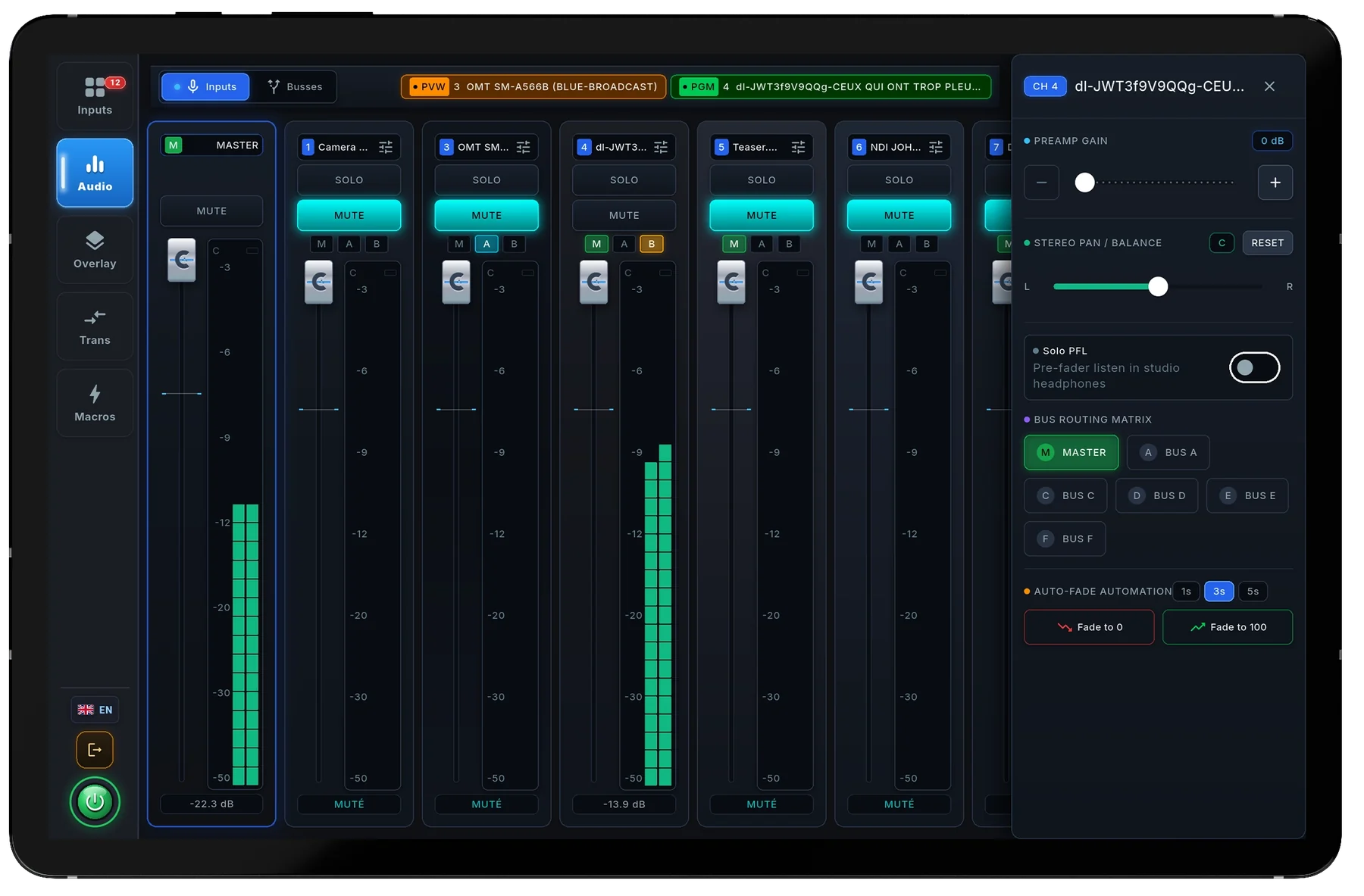
Master, headphones, buses A to G, volume, solo and mute for every input, with VU meters.
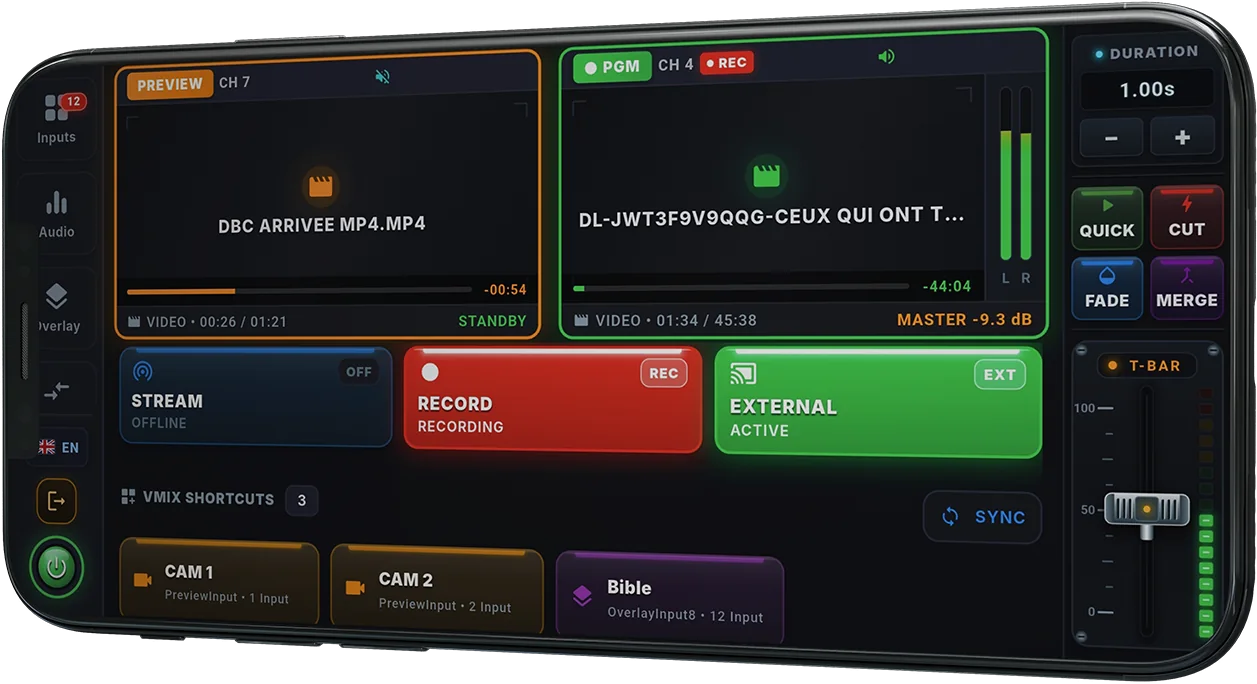
Start and monitor the stream, the recording and the external output.
The buttons from your vMix Web Controller, found automatically.
A simulated control room to try every control, without vMix or any hardware.
A small server on the vMix PC keeps a single link to vMix, however many phones are connected. vMix is not slowed down.
On the PC running vMix. The installer sets up the firewall and checks that vMix is ready.
On the phone or tablet, connected to the same network as the PC.
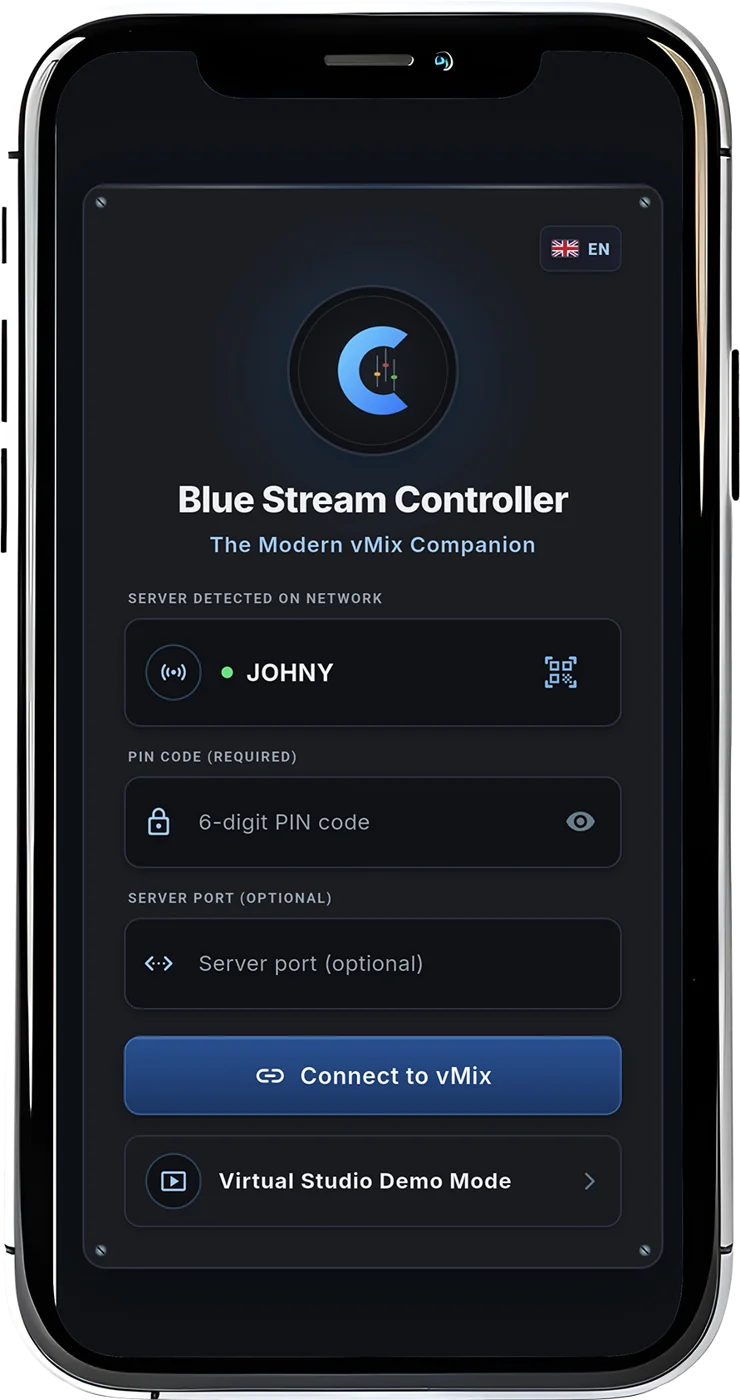
Or pick the detected server and type the 6-digit code shown on the PC.
Blue StreamSERVER
Every sensitive control is protected, the control room doesn't depend on internet, and the phone always tells you what's happening.

Stopping the stream or the recording asks for confirmation.
Everything goes through the venue's local network: an internet outage doesn't stop the control room.
A 6-digit code for every connection. After 5 wrong codes, the device is blocked.
If vMix closes, the phone warns you instead of showing a control room that doesn't move.
Premium removes ads and unlocks every screen, on the devices signed in to your BlueBroadcast account.
To discover Blue Stream Controller.
0 $
For an event or a season.
9,99 $/ month
Coming soonFor a team that streams every week.
49,99 $/ year
Coming soonOne payment, no subscription.
99,99 $once
Coming soonNo. The phone and the PC talk over the venue's local network. Internet is only needed to install the app, sign in to your account and renew Premium from time to time.
Blue Stream Controller is tested with vMix 29. It uses the vMix Web Controller and TCP API; the server guides you to turn them on the first time you launch it.
Several phones and tablets can control the same show. With Premium, the number of ad-free devices depends on the plan: 2, 3 or 5.
No. Premium is tied to your BlueBroadcast account: sign in on the new phone, with your email or Google, to get it back. You can free up the old device's seat at account.bluebroadcast.app.
Yes. Demo mode simulates a full control room so you can explore every control without any hardware.
Install the server on the vMix PC, then the app on your phones and tablets. The free version is enough to get started.
1On the vMix PC
Download for WindowsFree · Windows 10 and 11 · 64-bit2On your phones and tablets